With the Semrush x Lovable integration, you can build apps and optimize them for search without switching tools. Using real Semrush data helps you target the right keywords, track your rankings, and fix SEO issues directly in the Lovable interface.
Lovable is an AI-powered platform for building apps, websites, and digital products using natural language, without writing code.
How can the Semrush x Lovable integration help
With Semrush data connected to the Lovable chat interface, you can check keyword rankings, analyze your domain, create keyword-targeted landing pages, run SEO audits, and apply fixes automatically. From building your product to ranking in search, this integration gives you a complete, end-to-end workflow.
Pricing and limitations
Semrush integrates with Lovable in 2 ways:
- Built-in Semrush data: Available to all Lovable users, no Semrush account needed. Covers keyword ideas, domain analysis, and competitive insights in the Lovable chat.
- Connected Semrush account: Available to paid Lovable users with a free or paid Semrush account. Unlocks keyword research, domain analytics, backlink data, and position tracking.
For technical details on both access levels, see the Semrush developer page.
Note: Whenever you make requests through this integration, you use up the Semrush API units in your Semrush plan. You can check your API availability and limits in the subscription info.
How to set up the Semrush x Lovable integration
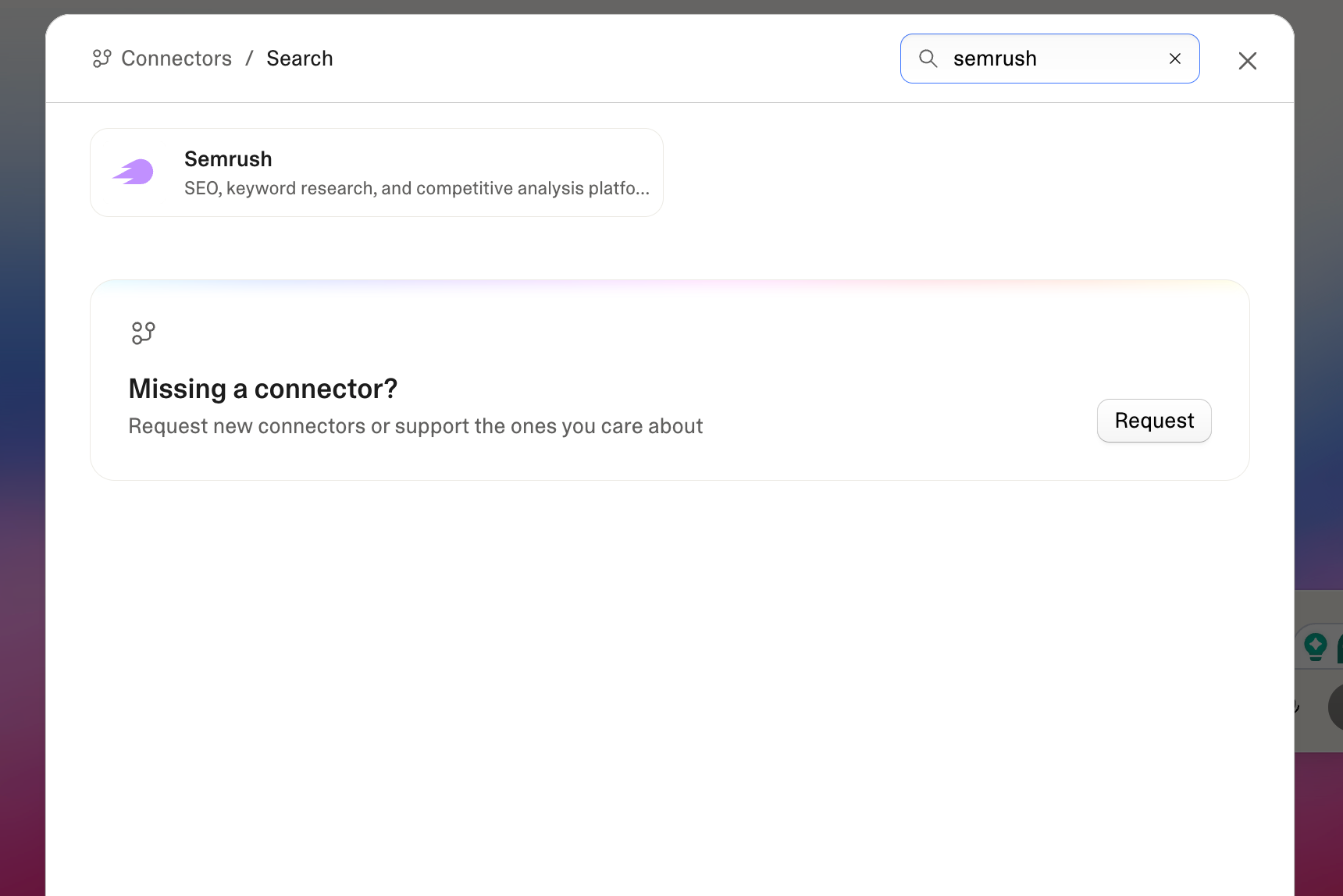
- On your Lovable dashboard, go to Connectors and select Semrush
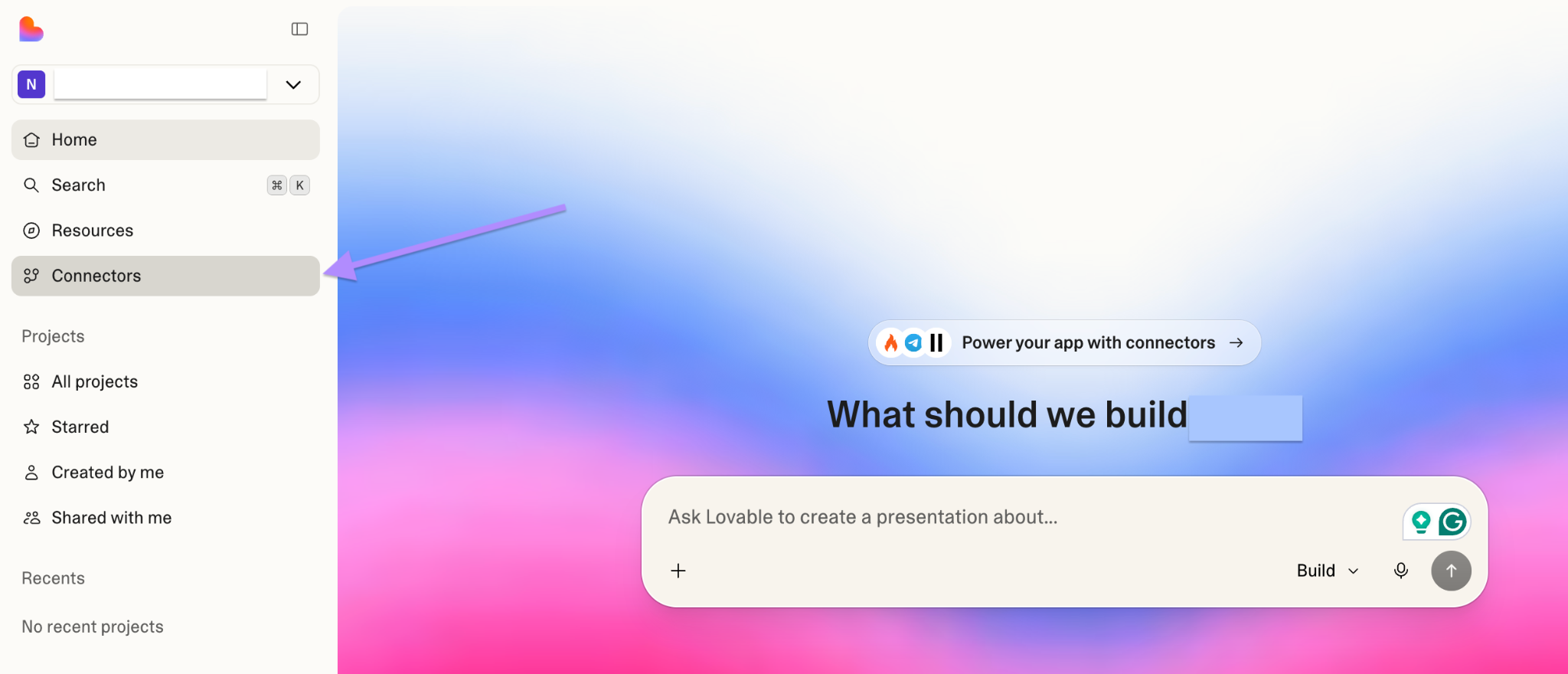
- Click Add Connection and name it (for example, Semrush Prod)
- Choose who can access this connection from your workspace
- Review the requested permissions, and click Approve. You’ll be redirected back to Lovable with a confirmation if the connection is active.
When setting up the connection, you can either use an existing Semrush account or create a new one:
- If you use an existing account, your current Semrush subscription limits apply
- If you create a new account through Lovable, you’ll start on a free Semrush subscription with credits added
You can create multiple Semrush connections by authorizing different Semrush accounts.
Once you set up a connection, you can access Semrush data across all projects in the workspace, and team members can use Lovable chat to link their projects to it.
How to use the Semrush x Lovable integration
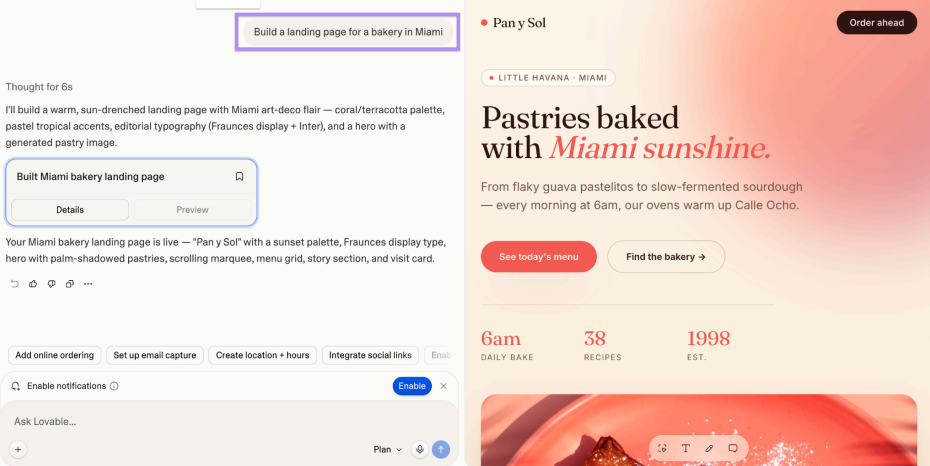
- On the Lovable dashboard, write what you want to build or discuss first — for example, “Build a landing page for a bakery in Miami”. You’ll see the first prototype on the right.
- Ask Lovable to optimize this landing page for search visibility — for example, “Optimize this for SEO and AI search”. This is where Semrush data come in.
- Click Run SEO review to scan your project and identify issues such as missing metadata or sitemaps

- Review the scan results. You can scan your landing page as many times as needed until every check passes.
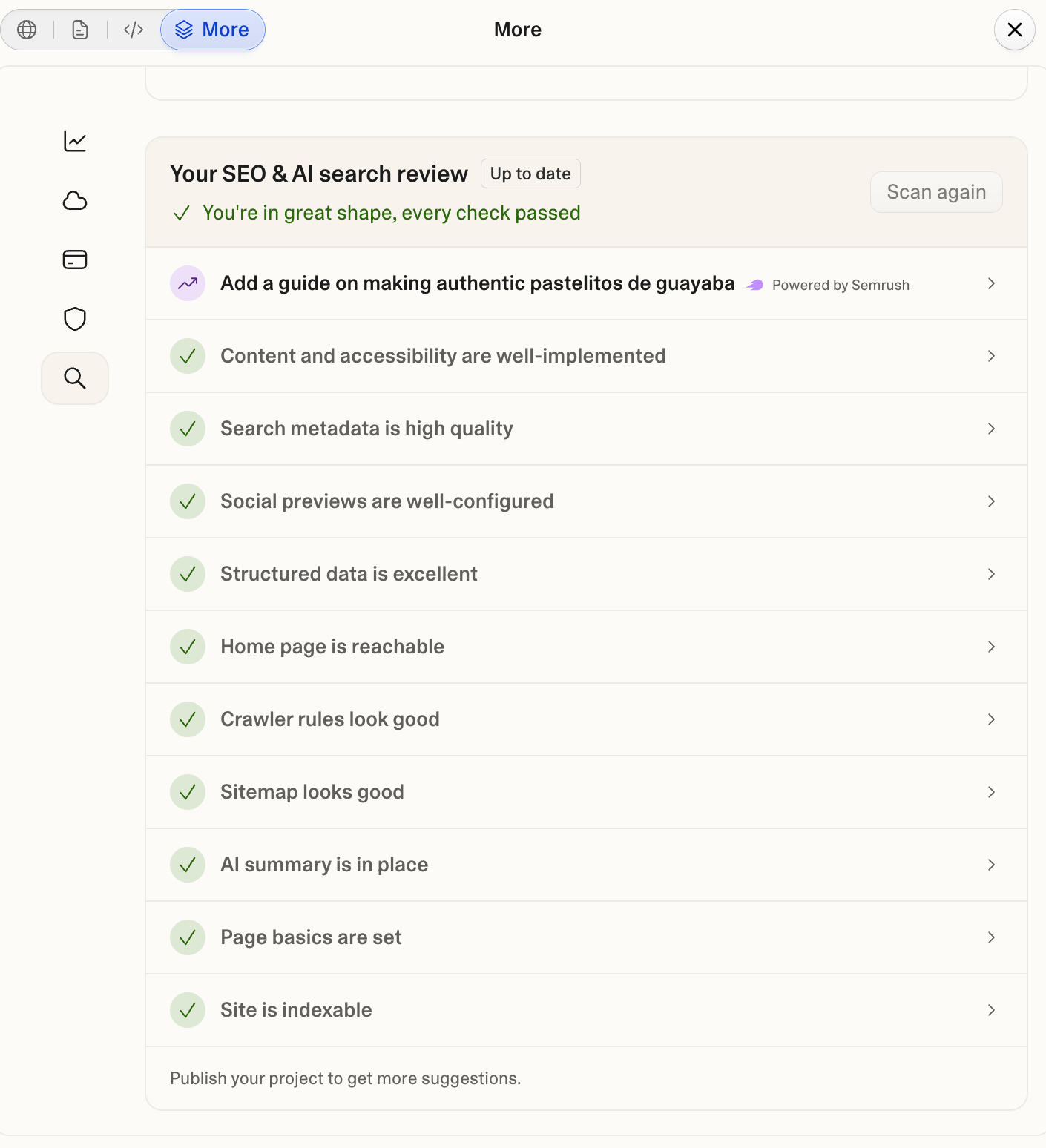
- On the right side of the screen, review the suggested prompts for optimizing your search visibility, powered by Semrush data. You can ask Lovable about keywords, top pages in search, or anything relevant to your business.
 Back to Integrations category